01
Earth imaging at night
Contrast assessment between the dark sea and emitting lights.
 ABRAMRender EngineGitHub ↗
Open-source · MATLAB
Physically-based synthetic images of planets, moons, small bodies and space debris.
Lunar south pole · ABRAM simulation
01 / Overview
ABRAM connects geometry, surface physics, illumination and camera radiometry in one flexible and generalizable MATLAB workflow. It has been geometrically and radiometrically validated against analytical models and ground-truth imagery.
02 / Capabilities
Representative scenarios spanning planetary imaging, cislunar flight, landing and small-body operations.
Contrast assessment between the dark sea and emitting lights.
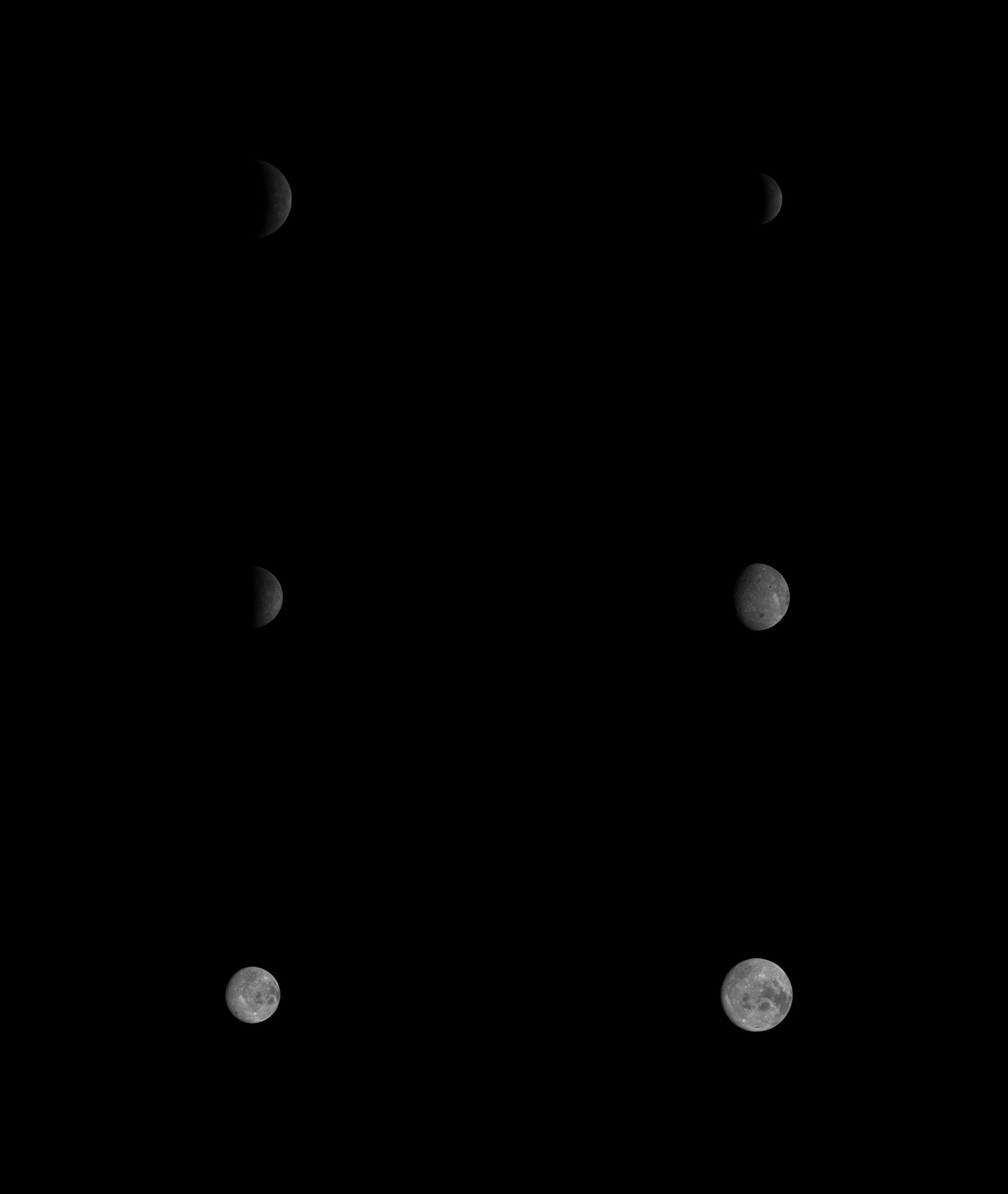
Imaging geometry along a Near-Rectilinear Halo Orbit.
Close-range surface rendering during terminal descent.
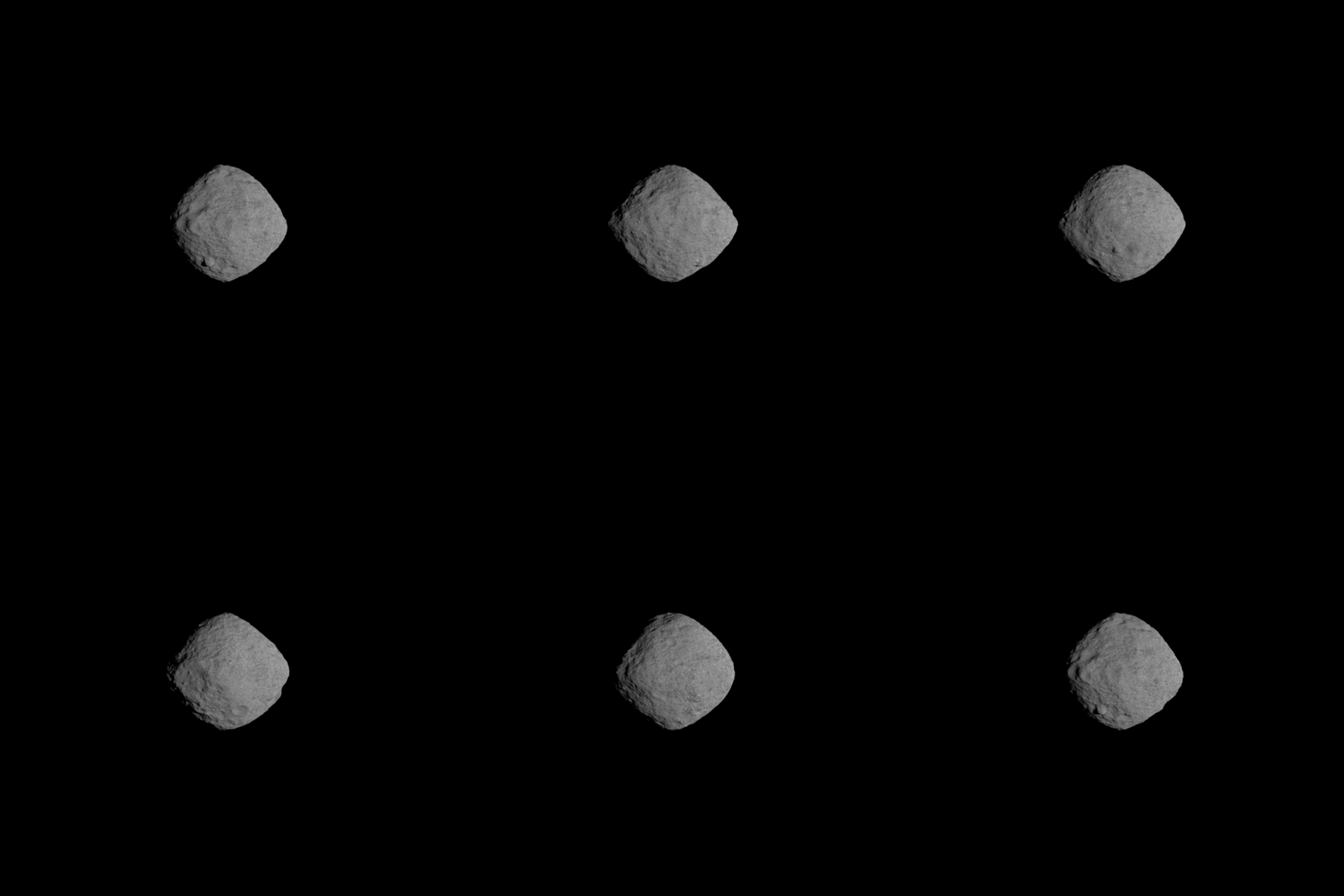
Irregular geometry and complex illumination.
03 / Workflow
A YAML file describes the light, target, camera, scene and rendering settings. Initialize once, update the object, and generate new frames without repeating costly preprocessing.
04 / Validation
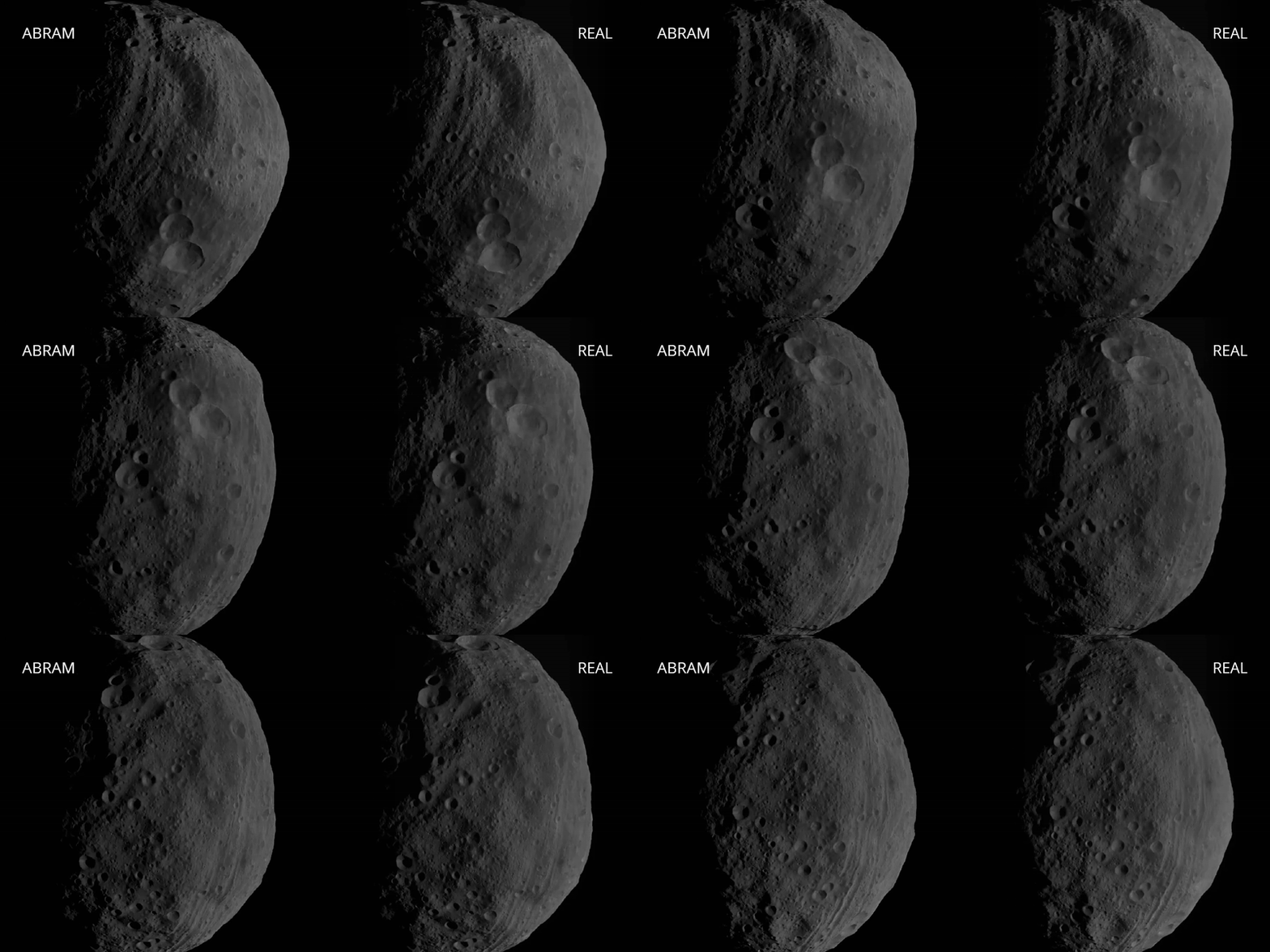
Direct comparison with real mission imagery tests geometric alignment and radiometric consistency.
05 / Recreation of mission imagery
Known mission geometry and camera behavior can be translated into physically consistent simulated observations.
06 / Get started
ABRAM was developed and tested in MATLAB R2023b. First retrieve the complete repository, then initialize the rendering agent from MATLAB.
$ git clone https://github.com/andrepiz/abram
$ cd abram
$ git submodule init
$ git submodule update% Install ABRAM paths
› abram_install()
% Generate the first rendering
› rend = abram.render('example_moon.yml')07 / Integration support
Need help designing a synthetic-image campaign, reproducing mission imagery, configuring camera radiometry or integrating ABRAM with an optical facility? Describe your application and I’ll get back to you.
08 / About the project
ABRAM is an open-source research tool for image dataset generation, camera design, radiometric analysis and optical hardware-in-the-loop facilities.
08 / Cite ABRAM
Pizzetti, A., Panicucci, P., Capolupo, F., & Topputo, F. (2026). “Development and validation of a physically based rendering methodology for celestial bodies.” Acta Astronautica.View publication ↗